One problem we have to solve when we're working hex grids is to calculate the distance between two hexes.
On a square grid, there are a few ways of doing this. The most accurate method would be to apply Pythagoras' theorem to find the length of the diagonal between two squares.
But this leads to really messy numbers, so most games opt for something simpler. I've seen some where moving diagonal is simply not allowed. Others count diagonal distances as either one or two units, alternating.

Showing posts with label Essence of Glory. Show all posts
Showing posts with label Essence of Glory. Show all posts
Monday, 1 June 2015

Thursday, 7 May 2015
Intersecting Paths on a Hexagon Grid
In an earlier post, I discussed a co-ordinate system for a hexagon grid.
In this post, I will discuss a problem I worked on recently concerning such a system.
Essence of Glory is a game of formations and positioning. One way this manifests is in the system for close Assaults. These do not necessarily refer to hand to hand combat (although boarding parties are one possibility), but "close" engagements. Sort of how two airplanes coming within a mile of each other is a near miss.
The system we are using for Assault stipulates that an Assault occurs between two opposing wings of ships if they pass through each other during the Movement phase.
The question is, how do we determine when ships pass through each other?
There are two options, really. Either track ships as they move and report any collisions, or do some calculations based on their paths.
The first option isn't really useful, because we want Assaults to occur any time ships' paths cross.
We don't necessarily care if they are in the same space at the same time.
So we are better off looking at the movement paths as a whole. Remember the grid system?

A vector can describe either a position, or a change in position.
[2,0] may be the position to spaces to the right on the horizontal axis, or it may represent a movement of two units in that direction.
It would be possible to describe the movement of a unit with one vector, but it wouldn't be as useful. For example, a ship starting at [0,0] might move to [-2, 1], but did it pass through [-1, 0] or [-1,1]?
If we described that movement using only the vector [-2, 1], we would have no way of knowing.
Instead, we can store the movement of a ship with a series of unit vectors. Unit vectors are those with length one. Note that in hex co-ordinates, [-1, 1] is a unit vector, but [1,1] is not.
So, a ship starting at [0,0] and moving to [-2, 1] could have its movement described with the sequence of unit vectors {[-1,0], [-1, 1]} or with {[-1,1], [-1,0]}.
To find all the hexes through which a ship passed during the course of its movement, just add each of the unit vectors in its path to its starting position in turn.
Then, to find which ships will assault each other, find all hexes that all ships passed through during the movement phase, and then find those that are shared between opposing ships.
In this post, I will discuss a problem I worked on recently concerning such a system.
Essence of Glory is a game of formations and positioning. One way this manifests is in the system for close Assaults. These do not necessarily refer to hand to hand combat (although boarding parties are one possibility), but "close" engagements. Sort of how two airplanes coming within a mile of each other is a near miss.
The system we are using for Assault stipulates that an Assault occurs between two opposing wings of ships if they pass through each other during the Movement phase.
The question is, how do we determine when ships pass through each other?
There are two options, really. Either track ships as they move and report any collisions, or do some calculations based on their paths.
The first option isn't really useful, because we want Assaults to occur any time ships' paths cross.
We don't necessarily care if they are in the same space at the same time.
So we are better off looking at the movement paths as a whole. Remember the grid system?

[2,0] may be the position to spaces to the right on the horizontal axis, or it may represent a movement of two units in that direction.
It would be possible to describe the movement of a unit with one vector, but it wouldn't be as useful. For example, a ship starting at [0,0] might move to [-2, 1], but did it pass through [-1, 0] or [-1,1]?
If we described that movement using only the vector [-2, 1], we would have no way of knowing.
Instead, we can store the movement of a ship with a series of unit vectors. Unit vectors are those with length one. Note that in hex co-ordinates, [-1, 1] is a unit vector, but [1,1] is not.
So, a ship starting at [0,0] and moving to [-2, 1] could have its movement described with the sequence of unit vectors {[-1,0], [-1, 1]} or with {[-1,1], [-1,0]}.
To find all the hexes through which a ship passed during the course of its movement, just add each of the unit vectors in its path to its starting position in turn.
Then, to find which ships will assault each other, find all hexes that all ships passed through during the movement phase, and then find those that are shared between opposing ships.
Monday, 27 April 2015
No Aliens Allowed: Why Only Humans in "Essence of Glory"
 |
| Yeah, what he said. |
 |
| Don't you want to see the version with Germans? |
Tangent aside, my point is similar narrative goals can be acheived by both human and alien actors in a story. The question is really one of tone, aliens have a tendency to sterilize a plot point whereas with humans it feels that much more visceral.
Thursday, 19 March 2015
Ease of Unity
This is my first project at really using Unity, and in the game development community there is a saying that you don't need to know coding that well to make a game using it. It seems that is actually the case... to a certain extent.
It seems that although you COULD technically use only the built in libraries for Unity, and how it handles cameras, assets, and rendering; to make a game using 100% code, it is entirely possible to use just assets, and use the settings provided with each asset with a few scripts here and there to glue things together.
One plus side of Unity is that the community is really big, and if you need a certain asset, what you're looking for will probably be in the store. Even if you need a certain functionality with it, you could potentially find that also. Making changes in the game to be event driven is also taken care of nicely in the engine itself, and is able to be set through simple dropdown boxes when you add it to a certain scene. Even if you do need to write code for certain events, the libraries handle a large component of the groundwork already.
So for anyone with cool ideas for games, or is even an aspiring game developer. Unity is a great engine to experiment with, even if you're not from a coding background.
It seems that although you COULD technically use only the built in libraries for Unity, and how it handles cameras, assets, and rendering; to make a game using 100% code, it is entirely possible to use just assets, and use the settings provided with each asset with a few scripts here and there to glue things together.
One plus side of Unity is that the community is really big, and if you need a certain asset, what you're looking for will probably be in the store. Even if you need a certain functionality with it, you could potentially find that also. Making changes in the game to be event driven is also taken care of nicely in the engine itself, and is able to be set through simple dropdown boxes when you add it to a certain scene. Even if you do need to write code for certain events, the libraries handle a large component of the groundwork already.
So for anyone with cool ideas for games, or is even an aspiring game developer. Unity is a great engine to experiment with, even if you're not from a coding background.
Wednesday, 18 March 2015
Unity 5 + Progress + Planning
Unity 5 was released recently, and so we decided to go ahead and move the project to that.
It seems to contain many updates to the high-end graphical and animation side of things, which this project may not touch, but there's not much reason to continue developing for an older version.
The conversion process was straightforward. All that was necessary was to open the project in the new editor, and the upgrade was automatic. It did take a surprisingly long time, and seemed to hang, but others have reported encountering this problem.
Anyways, I've been working on the rules side of the game. Essence of Glory is a table-top game for two players. It features dice, orders tokens, models, and a grid to play on. But there is also that portion of the game that exists only within the player's heads. They need to keep track of what turn it is, who has to play, and what they're doing at this juncture. And it is that non-physical side of the game that I have been tackling recently.
The game engine needs to know what turn it is, what phase it is, and what's happening, and it needs to present this information to the player in a convenient way. It also needs to account for the different ways of playing the game. Players may face off against the AI, or they may play with their friends over the internet, or around the table. I've been spending time thinking about how to handle all this, and started putting those ideas into action.
Since there aren't any illustrative screenshots to show off yet, maybe it might be fun to try to figure out my notes? Find them below the fold.
Wednesday, 4 March 2015
Events in Unity
Events are a useful tool for communicating between game objects, especially when you don't know which objects will be communicating with each other.
Say we have a Button. When the user clicks on the button, we want another Thing to do task X. Maybe the code would look like this:
void OnClick(){
Thing.doX();
}
All very well. But what if we decide that actually, there's going to be a whole bunch of different Things in this scene, and they should all do X? What if those Things need more information to do X? What if the set of Things that should perform the task X is constantly changing?
If any of that is true, that means we'll have to change our code for the Button in order to change what and how Things do X. And all the while the button hasn't changed. It's still there, doing its thing, getting clicked by the user. So why should we have to change the Button, if the responsibilities of other objects have changed?
The answer is that we don't, if we use Events.
Events are a really handy construct. They can be thought of as a one-to-many relationship, where one object publishes or broadcasts events and a set of others receive and act on them. Just like a radio broadcaster doesn't know how many people are tuned in at any given time, the Event broadcaster doesn't know what objects are subscribed or even if any of them are.
So our button code would be changed to look something like this:
//This goes inside the Button class, and defines a delegate member of the ClicEventHandler type for that button.
//This is the event that other classes will listen to.
public event ClickEventHandler clickEvent;
void OnClick(){
//Now, when the button is clicked, all of the delegates subscribed to the event will trigger
clickEvent(this);
}
public class Thing{
public void handleButtonClick(Object sender){
doX();
}
}
Now, we can change the behaviour of the Thing without changing the button at all.
In Essence of Glory, events are used to update parts of the game engine about changes in other parts of it. For example, when a ship is moved in the Model, an event is raised that is received by the View, which then updates where that ship is displayed on the screen. Events can also be used for special effects that trigger under certain conditions.
More information about Events in C# can be found here and in Unity here.
Say we have a Button. When the user clicks on the button, we want another Thing to do task X. Maybe the code would look like this:
void OnClick(){
Thing.doX();
}
All very well. But what if we decide that actually, there's going to be a whole bunch of different Things in this scene, and they should all do X? What if those Things need more information to do X? What if the set of Things that should perform the task X is constantly changing?
If any of that is true, that means we'll have to change our code for the Button in order to change what and how Things do X. And all the while the button hasn't changed. It's still there, doing its thing, getting clicked by the user. So why should we have to change the Button, if the responsibilities of other objects have changed?
The answer is that we don't, if we use Events.
Events are a really handy construct. They can be thought of as a one-to-many relationship, where one object publishes or broadcasts events and a set of others receive and act on them. Just like a radio broadcaster doesn't know how many people are tuned in at any given time, the Event broadcaster doesn't know what objects are subscribed or even if any of them are.
So our button code would be changed to look something like this:
//This defines a delegate which is a little like a function pointer.
//It defines the kind of function that is needed to handle the event.
//In this case, a void function that takes an object is needed
//to properly handle this event.
public delegate void ClickEventHandler(Object sender); //This goes inside the Button class, and defines a delegate member of the ClicEventHandler type for that button.
//This is the event that other classes will listen to.
public event ClickEventHandler clickEvent;
void OnClick(){
//Now, when the button is clicked, all of the delegates subscribed to the event will trigger
clickEvent(this);
}
public class Thing{
public void handleButtonClick(Object sender){
doX();
}
}
Now, we can change the behaviour of the Thing without changing the button at all.
In Essence of Glory, events are used to update parts of the game engine about changes in other parts of it. For example, when a ship is moved in the Model, an event is raised that is received by the View, which then updates where that ship is displayed on the screen. Events can also be used for special effects that trigger under certain conditions.
More information about Events in C# can be found here and in Unity here.
Monday, 23 February 2015
Singleton Pattern for Unity + Update on Battle Engine
This post is a short description of the Singleton design pattern, and a brief update on the state of the Unity project.
Wednesday, 18 February 2015
Essence of Glory Faction Concept : Aehrenthal Federation
 The Aehrenthal Republic was a collection of blue collar manufacturing worlds on the edge of Empire space. Upset that they rarely received more than raw materials and production quotas for their tax dollars, the system level leadership of the soon to be Aehrenthal systems lobbied for greater autonomy and a lessening of the tax burden. The Empire, overextended, and with a bloated administration decided to grant the Aehrenthal systems a unified leader who would only answer to the Emperor. Intended as a symbolic gesture to placate the systems while maintaining control, the newly crowned King Aehrenthal (for whom the systems are now named) quickly dissolved his post, replacing it with an elected cabinet which he presided over. Aehrenthal created a democratic system under the pretext of liberty and giving people a say in their governance but imperial historians cast it as a move to provoke the Imperium in to a war that Aehrenthal knew he could win and with it win the independence of his new nation.
 The war was surprisingly short with the highly organized industrial might of the new republic out doing the overly bureaucratic system of the empire which put eldest sons at the heads of factories rather than those qualified or educated. In battle the republic's troops (mostly drafted factory workers) usually proved to not have the stomach for protracted fights, creating the need for more nationalistic and inspiring social programs and incentives. The soldier class quickly developed in to one of the most influential and prestigious groups in the Republic with politicians commonly wearing their military uniforms rather than civilian dress.
The new mobilized society combined with their industrial prowess made short work of the outmoded Imperial navy, but the militarism of their war of independence never truly subsided, due in part because the war has never truly ended, with the border territories erupting in constant skirmishes but also because there has been little political will to tone down the military rhetoric.
 The intent of this faction in the game is to highlight the problems of emerging democracies especially when faced with such aggressive neighbors. Taking hints of Starship Troopers in to a revolutionary France type of society where they are not only facing internal problems but also a massive outer enemy, the Republic faces a lot of difficult choices for itself and how it should interact with the other nations in the game.
From a writing standpoint it's interesting because of not only the political what ifs but also the personal ones within the society that'll be explored later. In the current build the writing is slightly rigid from a character perspective, it's difficult to have a lot of diversity (in terms of character background) in the imperial factions because of the nature of their society. In the Republic faction we'll see not only more diverse character backgrounds but also more diverse political beliefs that will play in to the greater story of the Republic.
Friday, 13 February 2015
More story updates
This week I finally managed to get a hold of the full version of the VN toolkit, probably going to have some fun with it with some side projects. This version has a few more quality of life features, like not having to type in all the variables you're going to use, and instead select them from a dropdown box.
Anyways, this week our characters take a day away from studying tactics and visit the bar... although to learn from experienced veterans. Don't mind the scene in the back, placeholders are a nice thing to have.

Anyways, this week our characters take a day away from studying tactics and visit the bar... although to learn from experienced veterans. Don't mind the scene in the back, placeholders are a nice thing to have.
Thursday, 5 February 2015
Unity and toolkit troubles, and more knowledge
Unity is great for many things, but this past week there has been some shortcomings with the platform.


So I started looking into the code for the VN toolkit a bit to see what we can throw in there, and what we can gut out. For the most part, it's a fairly well structured piece of software with areas where we can eventually start molding to form something suitable for this game. This is fine and dandy, although there's not much documentation in the code, it's easy enough to navigate and modify. Edit some parts of the GUI here and there, change some colour schemes, etc. However, it seems that the built in code editor for unity has other plans.
What? how can there be so many issues with areas that weren't even touched? Well after a while looking around, it seems that the built in editor MonoDevelop doesn't support any version of C# higher than 3.5, which is what the toolkit is built on.
It seems that the original developers were also not pleased with Unity's editor, and probably decided to use a third party editor. Doesn't seem too unreasonable, but Unity is an engine where anybody, even someone without much coding experience can make a game; so it's not too unreasonable to say their platform for writing code is outdated.
Anyways, looks like the toolkit will need to be edited some other time. For now though, here is a new scene with our friends once again studying, in a bigger library this time. Perhaps they will learn a bit more about actual tactics, and *ahem* mechanics pertaining to what they're doing.
Here is Tarah dispensing some knowledge, while we look to make some more progress next week.
Wednesday, 28 January 2015
Unity Project Check-In
Not much to report this week. A few minor changes were made to the project. The two most notable being a rudimentary camera control suitable for testing, and some placeholder art for ships. Hopefully, by next week we'll be able to have those ships moving around according to the game's rules.

Wednesday, 21 January 2015
Model-View-Controller Design with Unity
This article will discuss the overall design architecture that will be used to create Essence of Glory in Unity. Since Essence of Glory is a tabletop game, we can compare it to other such games and think about how they would be designed in Unity.
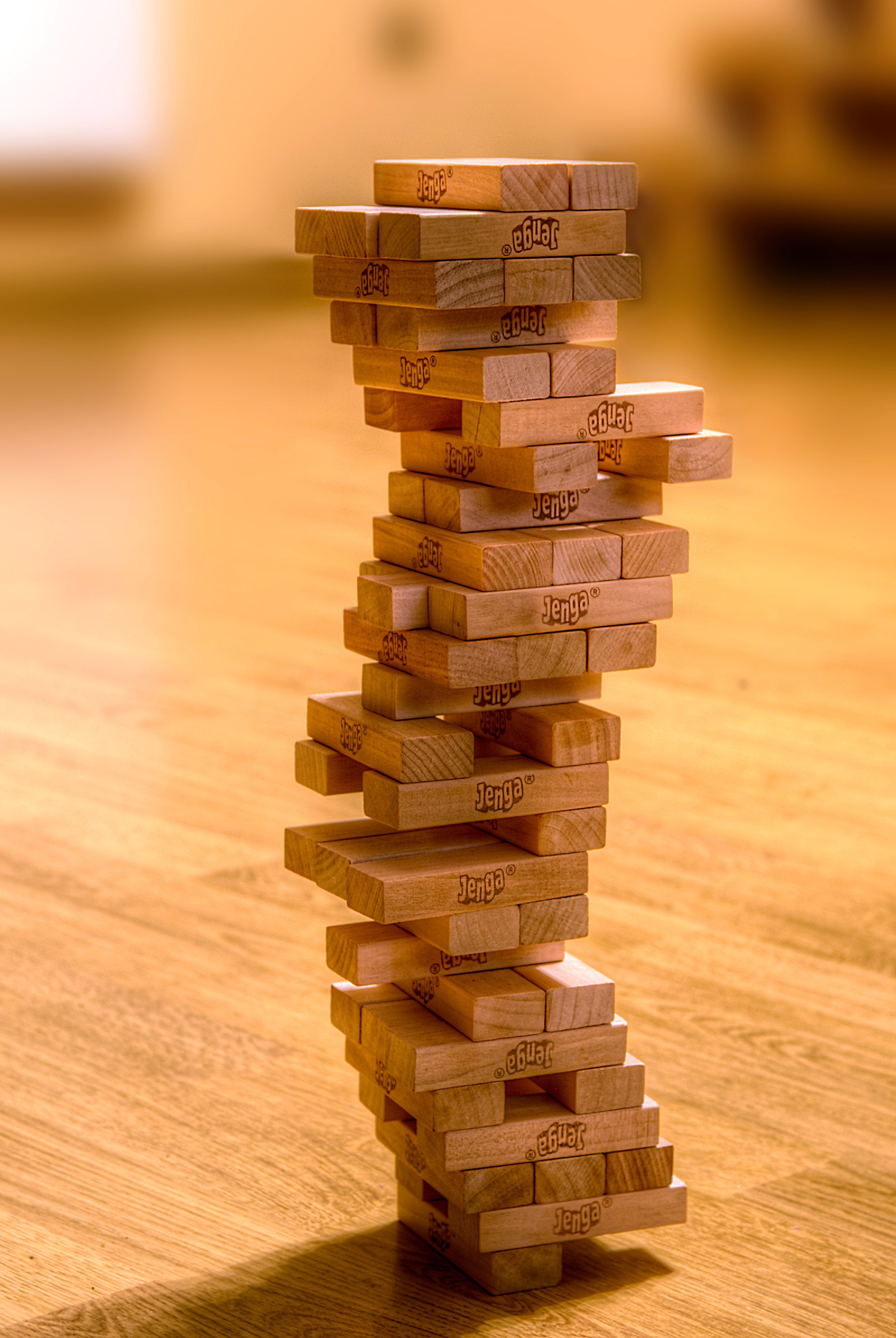
Let's say you were going to implement a game like Jenga in Unity. How would you do it? Well, objects in Unity are modeled with GameObjects. These follow the Composite design pattern; every GameObject is a collection of GameObjects, and/or MonoBehaviors. If you are familiar with Entity-Component systems, you can think of GameObjects as Entitites and MonoBehaviors as Components.
Coming back to Jenga, you would probably have each block as a GameObject and attach the right MonoBehaviours to it to give it meshes, textures, shaders, physics collision and so on. Furthermore, you'd want to know when a block hit the ground. So you could add script, in the form of a MonoBehaviour, to each block that would trigger when it collides with the ground.
But Essence of Glory is not a game like Jenga. A better comparison might be chess.

What happens when, in a game of chess, a piece falls over? Unlike in Jenga, this occurrence has no bearing on the rules. You would simply pick up the piece and replace it.
But hold on, I just posted a picture of a game of chess, but that isn't what chess looks like.
This is a game of chess:
 And so is this:
 Or even this:
What does this tell us? That the way a game of chess is visually represented is distinct from what constitutes the actual game. The game of chess is an abstract rules construct which is merely represented in some form or another to players. This is in contrast to the earlier example of Jenga, in which the pieces that players manipulate are also significant to the rules.
Furthermore, this indicates that chess (and Essence of Glory) is a good fit for the Model-View-Controller (MVC) software architecture pattern. In MVC, the software is divided into three areas of concern:
This also helps for input. Only the Controller is concerned about where input comes from. Whether a command is received from mouse, keyboard, touch, over the network or generated by the A.I., the change in the Model will be the same and so will its effect on the View.
Model-View-Controller does not seem to be common in Unity, this article was the only real source I found after a quick search. It's an informative read, though it references the no-longer-used NGUI library. The example project linked in the above article is a very good example of how MVC can work.
Let's say you were going to implement a game like Jenga in Unity. How would you do it? Well, objects in Unity are modeled with GameObjects. These follow the Composite design pattern; every GameObject is a collection of GameObjects, and/or MonoBehaviors. If you are familiar with Entity-Component systems, you can think of GameObjects as Entitites and MonoBehaviors as Components.
Coming back to Jenga, you would probably have each block as a GameObject and attach the right MonoBehaviours to it to give it meshes, textures, shaders, physics collision and so on. Furthermore, you'd want to know when a block hit the ground. So you could add script, in the form of a MonoBehaviour, to each block that would trigger when it collides with the ground.
But Essence of Glory is not a game like Jenga. A better comparison might be chess.

What happens when, in a game of chess, a piece falls over? Unlike in Jenga, this occurrence has no bearing on the rules. You would simply pick up the piece and replace it.
But hold on, I just posted a picture of a game of chess, but that isn't what chess looks like.
This is a game of chess:


- "1. e4 c5 2. Nf3 d6 3. Bb5+ Bd7 4. Bxd7+ Qxd7 5. c4 Nc6 6. Nc3 Nf6 7. 0-0 g6 8. d4 cxd4 9. Nxd4 Bg7 10. Nde2 Qe6!? 11. Nd5 Qxe4 12. Nc7+ Kd7 13. Nxa8 Qxc4 14. Nb6+ axb6 15. Nc3 Ra8 16. a4 Ne4 17. Nxe4 Qxe4 18. Qb3 f5 19. Bg5 Qb4 20. Qf7 Be5 21. h3 Rxa4 22. Rxa4 Qxa4 23. Qxh7 Bxb2 24. Qxg6 Qe4 25. Qf7 Bd4 26. Qb3 f4 27. Qf7 Be5 28. h4 b5 29. h5 Qc4 30. Qf5+ Qe6 31. Qxe6+ Kxe6 32. g3 fxg3 33. fxg3 b4 34. Bf4 Bd4+ 35. Kh1! b3 36. g4 Kd5 37. g5 e6 38. h6 Ne7 39. Rd1 e5 40. Be3 Kc4 41. Bxd4 exd4 42. Kg2 b2 43. Kf3 Kc3 44. h7 Ng6 45. Ke4 Kc2 46. Rh1 d3 47. Kf5 b1=Q 48. Rxb1 Kxb1 49. Kxg6 d2 50. h8=Q d1=Q 51. Qh7 b5?! 52. Kf6+ Kb2 53. Qh2+ Ka1 54. Qf4 b4? 55. Qxb4 Qf3+ 56. Kg7 d5 57. Qd4+ Kb1 58. g6 Qe4 59. Qg1+ Kb2 60. Qf2+ Kc1 61. Kf6 d4 62. g7 1–0"
What does this tell us? That the way a game of chess is visually represented is distinct from what constitutes the actual game. The game of chess is an abstract rules construct which is merely represented in some form or another to players. This is in contrast to the earlier example of Jenga, in which the pieces that players manipulate are also significant to the rules.
Furthermore, this indicates that chess (and Essence of Glory) is a good fit for the Model-View-Controller (MVC) software architecture pattern. In MVC, the software is divided into three areas of concern:
- The Model - simulates the state of the system. For a game like ours, this would involve tracking the position of pieces, resolving the outcome of moves, rolling dice, and determining if a player has won. This can be implemented with plain-old-C# classes and need not involve Unity at all.
- The View - represents the state of the system to the user. Everything that the user sees is part of the View, this includes any buttons or other interface elements. As such, the View will mostly be made up of Unity GameObjects. It is updated based on information received from either the Controller or directly from the Model.
- The Controller - updates the Model based on user input. May also be responsible for updating the View based on changes in the Model. Often implements the Observer pattern with UI elements.
This also helps for input. Only the Controller is concerned about where input comes from. Whether a command is received from mouse, keyboard, touch, over the network or generated by the A.I., the change in the Model will be the same and so will its effect on the View.
Model-View-Controller does not seem to be common in Unity, this article was the only real source I found after a quick search. It's an informative read, though it references the no-longer-used NGUI library. The example project linked in the above article is a very good example of how MVC can work.
Tuesday, 20 January 2015
Morgan's Weekly Update 2: What Needs to Happen in a Scene
Whenever I write a scene, there are a number of questions I have to ask about it. Questions like: are the characters relatable enough? Are they even believable? Is the setting clear enough? Am I getting across what I want to be? The most important questions (and i may revisit the previous questions in later posts) are things like: Am I teaching the player what they want/need to know? Are they even enjoying it? These two questions are hands down the most important to a game like this, after all a large chunk of the game will be dialogue. My early scenes were pretty lackluster exposition dumps with each character droning on about how they feel about the "Federation" only inserting a modicum of character simply based on;
"I come from X background, thus I feel Y"
"Ah character 1; I am different for, I am character 2 from background A and therefore, think B"
No fun for anyone.
 |
| GO FOR THE EYES BOO! |
I then went back to my role playing background and realized characters aren't necessarily remembered for their contribution to the story, more likely we remember their quirks and the interaction with the player. Minsc isn't ingrained in RPG culture because of his relationship with Dynaheir, we remember and love Minsc because he was a burly barbarian who carried around a cute little hamster named Boo. Going forward These are the sorts of things I really need in my characters, not more dry stock characters droning.
I have the structure laid out, now it's just a matter of filling it with enough life to keep the player interested and teaching them along the way. One of the things that needs to be overcome is the unorthodox nature of our game. There aren't many large scale naval combat games out there, let alone ones with the systems we're including. My goal then is to ease the player in to these things through the dialogue. One of my fears is players looking at the systems we've made an wondering why things are the way they are, why does a vee beat a line formation in assault? My hope is they'll have some of these questions but the dialogue will dispel some of that, especially if they choose to have those conversations with characters, and keep it interesting.
Lot of work on the horizon for me, check back next week for more of my exciting adventures in writing.
Thursday, 15 January 2015
Visual novels and tabletop games
No game's complete without some sort of narrative, and for Essence of Glory we decided to take an interesting route to deliver that.
Since we're using the Unity engine to develop the project, we have the benefit of being able to use many tools for development. What we're doing at the moment is messing around with the Visual novel toolkit by Sol-tribe.
Using a visual novel interface will be very easy to have our characters interact with each other. The end goal is to modify the interface provided by our friends at Sol-tribe, so that eventually we will have a tool suitable for our game that is visually appealing and easy to maintain.
I'm just playing around with this at the moment, trying to see how many things are editable in the free version (since we might not want to fully commit to this yet). This tool seems to be able to recreate most modern visual novels, but there are some options we don't need for Essence of Glory; such as the save and load button provided with this toolkit.

All of the other options are very nice, including special effect and scripting options. It seems pretty picky about the textures that's used for characters, it must be cropped and specifically sized for the toolkit.
There doesn't seem to be more interesting features about the free version of the toolkit, it seems this week is a good time to lurk on forums to see features for the full version. But other than removing features, this seems like a good way to accomplish what we eventually want to deliver the story.
Since we're using the Unity engine to develop the project, we have the benefit of being able to use many tools for development. What we're doing at the moment is messing around with the Visual novel toolkit by Sol-tribe.
Using a visual novel interface will be very easy to have our characters interact with each other. The end goal is to modify the interface provided by our friends at Sol-tribe, so that eventually we will have a tool suitable for our game that is visually appealing and easy to maintain.
I'm just playing around with this at the moment, trying to see how many things are editable in the free version (since we might not want to fully commit to this yet). This tool seems to be able to recreate most modern visual novels, but there are some options we don't need for Essence of Glory; such as the save and load button provided with this toolkit.
All of the other options are very nice, including special effect and scripting options. It seems pretty picky about the textures that's used for characters, it must be cropped and specifically sized for the toolkit.
There doesn't seem to be more interesting features about the free version of the toolkit, it seems this week is a good time to lurk on forums to see features for the full version. But other than removing features, this seems like a good way to accomplish what we eventually want to deliver the story.
Wednesday, 14 January 2015
First Steps with Unity - Hexagons
This is the first in a series of posts about the development of the electronic incarnation of Essence of Glory.
We are just beginning work on this game, and we're using the Unity engine. We chose Unity for its availability, ease-of-use, and wide variety of deployment platforms.
This week's post will mostly be about hexagons.
What's so great about hexagons? Well, as the logo at the top of the page may suggest they are a pretty significant part of a lot of tabletop and wargames. They provide a more accurate and natural way of moving game pieces around than a square grid. However, they are a little trickier to draw than a grid of squares.
Unity measures the position of game entities with a three-dimensional vector. Our game board will mostly be flat, so we can ignore the height dimension for now. That leaves us to consider position on a two-dimensional plane, like a cartesian co-ordinate plane.
As you might imagine, it's rather easy to draw squares on such a grid. The grid is already based on squares! Just draw a square at every position (x,y) and there you have it.
But how do you draw a grid of hexagons?

Well, it might help to imagine them as a grid of squares where every second column (or row, depending on your perspective) is offset a little.
What we want is a way of numbering hexagon tiles so that we can easily determine where to draw them.
Seeing as a hexagon grid is analogous to a square grid with offset rows, it may be tempting to try to number it like a square grid. Depending on how this is done, the results may not be helpful.
If you try to keep the axes at 90 degrees to each other, you may end up with something like this.
As you can see, the y-axis is really ugly. Converting from these co-ordinates to Unity's world co-ordinates is not too difficult, but the reverse is a bit of a pain. What we want is axes like this:
Much better. Converting from these hex co-ordinates to world co-ordinates and back will use the same formula at every position.
Now, to implement this in Unity, I followed the approach described here. As a programmer, I am much more comfortable with creating and modifying game objects from scripts rather than using Unity's drag and drop features. I won't go into detail here, but I first created a HexManager script, which spawns new game objects and attaches the HexModel script to them. Ideally, I would like to create a prefab out of the hexagon objects, as the game board will likely be the same in every level, but this is a useful construct and will do for now.
 So, we have a way of drawing hexagons where we want them, and a logical way of describing where that is. Next week, we will be working on adding some interactivity to this video game, getting something to happen when you click on these hexagons.
In addition the article linked above, I also found 'Hexagon grid: Generating the Grid' and 'Hexagon grids: coordinate systems and distance calculations' to be of the greatest help.
We are just beginning work on this game, and we're using the Unity engine. We chose Unity for its availability, ease-of-use, and wide variety of deployment platforms.
This week's post will mostly be about hexagons.
What's so great about hexagons? Well, as the logo at the top of the page may suggest they are a pretty significant part of a lot of tabletop and wargames. They provide a more accurate and natural way of moving game pieces around than a square grid. However, they are a little trickier to draw than a grid of squares.
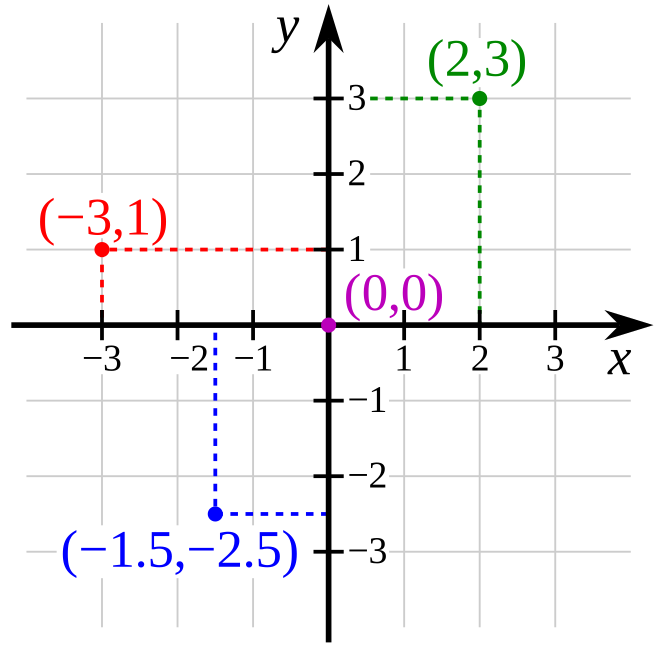
Unity measures the position of game entities with a three-dimensional vector. Our game board will mostly be flat, so we can ignore the height dimension for now. That leaves us to consider position on a two-dimensional plane, like a cartesian co-ordinate plane.
 |
| Remember math class? |
But how do you draw a grid of hexagons?
Well, it might help to imagine them as a grid of squares where every second column (or row, depending on your perspective) is offset a little.
 |
| Notice how each tile has 6 neighbours touching it. |
Seeing as a hexagon grid is analogous to a square grid with offset rows, it may be tempting to try to number it like a square grid. Depending on how this is done, the results may not be helpful.
If you try to keep the axes at 90 degrees to each other, you may end up with something like this.
 |
| x-axis in red, y-axis in blue |
 |
| axes as above |
Now, to implement this in Unity, I followed the approach described here. As a programmer, I am much more comfortable with creating and modifying game objects from scripts rather than using Unity's drag and drop features. I won't go into detail here, but I first created a HexManager script, which spawns new game objects and attaches the HexModel script to them. Ideally, I would like to create a prefab out of the hexagon objects, as the game board will likely be the same in every level, but this is a useful construct and will do for now.
In addition the article linked above, I also found 'Hexagon grid: Generating the Grid' and 'Hexagon grids: coordinate systems and distance calculations' to be of the greatest help.
Tuesday, 13 January 2015
Morgan's Progress Report 1: Old School Romantic Edition
 It's been an interesting week, four and a half hours of which was spent watching Gettysburg with Martin Sheen and Tom Berenger, why? Besides the fact it's an awesome film it also has some amazing romantic writing and examples of relationships between corps commanders, and generals. This is really the kind of tone I'm trying to strike; a corp commander comes to you and explains his failure or success, it's up to you how to react depending on who it is and how you think they'll react. This type of interaction will really affect their performance and the story going forward.
 Next week I hope to put more of this dynamic in to the scenes but work wise, this week was focused on learning how to use unity and a visual novel engine. It didn't go amazingly well but now with a better grasp of the system I can hopefully have something more concrete next week as well as some examples of some old school romantic style admiral, commander dialogue.
Saturday, 3 January 2015
Essence of Glory Faction Concept : Imperial Core

Welcome
to our first faction feature for the "Essence of Glory Universe." In
these articles we will introduce or update the various nations and armed forces
that players will interact with in the game. We encourage discussion, comments,
and critique. Maybe you even have an interesting and different angle of where
to take the art!
The
Empire as it is known today slowly and seamlessly gained power from Patria
through practical means. The Imperial Government is centered on one royal
family, a central broker for the noble families that represent the power in
the empire. The decentralized nature of the empire is what allows for potent and distinct political
groups, such as the Patria and the border holdings of the Imperial Vanguard
families to co-exist under one reign. Politics are always uneasy, but rarely result
in full blown internal conflicts. Noble heirs are not required to serve in the
military, thus the poorer petty nobles are more likely to serve as the empire's officers and it can sometimes
be seen as a sign of lesser rank in society. In particular, poor noble families
with only daughters would be seen as desperate for allowing daughter(s) to
serve as a source of income for the family. In contrast, the imperial family
itself is expected to command the military so the inner family’s heirs are high
ranking COs of varying quality, given that they are there because of their imperial lineage as opposed to merit.
The soldiery
that makes up the imperial army proper tend to be made up of a stable class of
petty nobles as officers and career soldiers serving in the ranks. These
soldiers form a stable, though inflexible force that is the core of the imperial
force during conflict. The empire’s inability to rapidly expand the soldiery for
major conflicts tends to result on reliance on military might from less integrated
vassals and allies, especially where there is concern over attrition.

In the game, imperial forces tend to be reliable and have very robust equipment, but are less maneuverable which leads to some predictability. This is not necessarily a disadvantage however, and victory will come from a subtlety and foresight that supports the conservative nature of imperial forces. Opponents who attempt to take on imperial units who are properly prepared such that they are able to bring their full might to bear stand little chance of winning.

Fluff Exerpt:
The Battle of Nishitomo is now seen as the beginning of the end for
Patria’s monopoly on galactic power. This was the first offensive launched by
the Empire. Since the Tulsca incident the fighting had been quite disorganized:
Patria nobles would lead their ships in to empire controlled sectors with
results varying from total destruction of empire holdings to the deaths of nobles
and their massive capital ships. At this point the conflicted had hardly
developed in scale, and it wasn't coordinated from either side. The empire
would station defenses and a noble from patria would usually get quite angry
that one of his mines had been seized and they would attempt to crush the
rebels.
The conflict truly became a war when Admiral Gerald Von Ripten gathered
his forces, and some from neighboring systems, and struck not an economic
target which a high lord of Patria would never defend himself (thus leaving
them ripe for the early empire’s navy) but Von Ripten instead struck the home
system of the High Lord Nishitomo (which he had named after himself).
Von Ripten knowing the extent of the lord’s pride, lay a trap, he sent 2
ships forward, launching long range missiles at the planet. The missiles did
little but Nishitomo would not allow this insult to go unanswered, he
immediately launched his flagship (also named Nishitomo) along with all the
support ships he had available. As the fleet of 11 ships left the atmosphere
the destroyers who fire that first volley withdrew. Nishitomo gave chase
exactly according to Von Ripten’s plan. Once Nishitomos fleet had gone quite
far from the planet Von Ripten revealed his other 21 ships, they came around
from the closest moon of the planet Nishitomo, (again named Nishitomo).
Ripten’s fleet cut the Nishitomo fleet off from their planet and lay in to
their rear with long range rail guns. Nishimoto's rage grew even more fierce,
he ordered the fleet to immediately turn and face Von Ripten.
As the fleet turned their broadside, Von Ripten’s railguns cut down the
support ships. Von Ripten stopped his guns long enough to give Nishitomo the
opportunity to surrender, knowing the answer before the message was sent. Von
Ripten spread out his ships leaving a gap in the center while Nishitomo gave
his final impassioned speech about how this upstart peasant deserves nothing
but the contempt of respectable people such as himself. At the end of the
speech Ripten’s ships opened fire once again as the Nishitomo charged forth
firing all of its weapons wildly at the out of range imperial fleet. In minutes
the Nishitomo's flaming hulk was speeding through the gap, engines, weapons,
most everything was disabled. As the myth goes, Nishitomo played a dirge to
himself (titled Nishitomo) on his violin as the flaming hulk crashed in to his
own planet. In fact Nishitomo was likely dead long before getting near to the
Imperial fleet.

The blow Von Ripten delivered was
slight in terms of strategic or economic value but it
sent a
message to Patria that the empire was a force to be reckoned with. To the
empire this signaled the beginning of thinking of themselves as the premier
force in the galaxy.
The bickering nobility could never summon
forces any larger than one fleet, or coordinate any kind of strategy; no
noble wanted to fight for the liberation of another noble’s resources. The war
continued in this fashion, and eventually concluded in the subjugation of Patria as a vassal to the empire.

Subscribe to:
Posts (Atom)